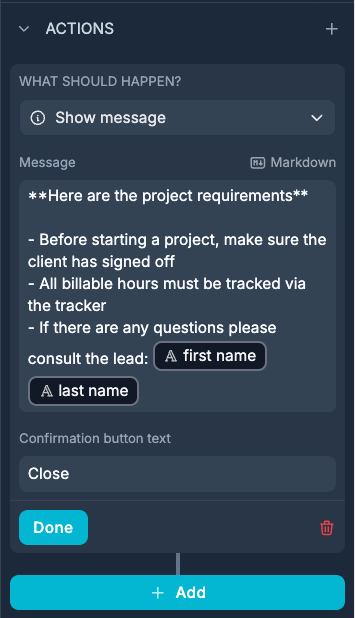
I have some notices where I don’t want to display a whole paragraph of information.
Instead, I’ve set up an action button on the notification called “Learn Why”, which users can click to see a description of why they are seeing that notice, and what steps they can take to resolve it.
The issue is, there is not a good action type which accomplishes this.
As a workaround, I use the “Update Record” option (see below), add another notice there with the details. But the Confirm button is obviously misleading, and will not work with no fields added, and the Cancel button is the only way to close the modal pop-up window.
Awesome! This is very useful and I’m about to litter my app with these. Quick bit of feedback - please remove the “Cancel” button, or add a setting to hide it.